# mysite_nginx.conf
# the upstream component nginx needs to connect to
upstream django {
    # server unix:///path/to/your/mysite/mysite.sock; # for a file socket
    server 127.0.0.1:9000; # for a web port socket (we'll use this first)
}
# configuration of the server
server {
    # the port your site will be served on
    listen      8001;
    # the domain name it will serve for
    server_name .example.com; # substitute your machine's IP address or FQDN
    charset     utf-8;
    # max upload size
    client_max_body_size 75M;   # adjust to taste
    location /static {
        root /data/wwwroot/traffic_scheduling/web/; # your Django project's static files - amend as required
    }
    # Finally, send all non-media requests to the Django server.
    location / {
        uwsgi_pass  django;
        include     uwsgi_params; # the uwsgi_params file you installed
    }
}
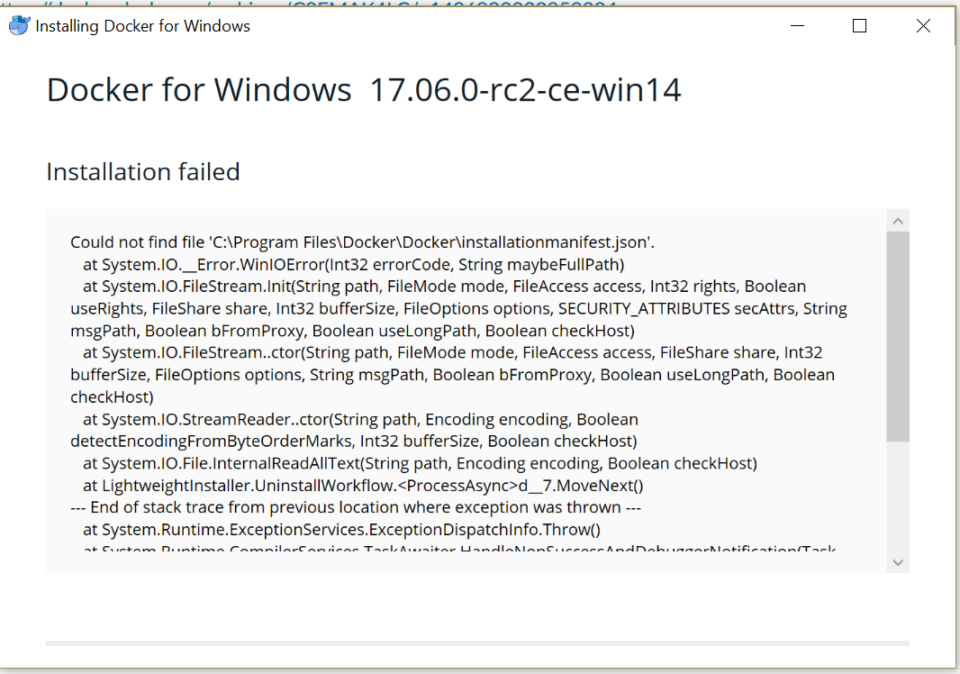
error during connect: Get http://%2F%2F.%2Fpipe%2Fdocker_engine/v1.39/containers/json?all=1: open //./pipe/docker_engine: The system cannot find the file specified. In the default daemon configuration on Windows, the docker client must be run elevated to connect. This error may also indicate that the docker daemon is not running.
这个问题好坑,找了好久都没有解决办法,卸载重装以后还是不行。
注:卸载后将会删除所有镜像及虚拟机容器。
解决办法
在 cmd.exe 中执行,开启守护进程即可。
cd "C:\Program Files\Docker\Docker"
./DockerCli.exe -SwitchDaemon
–restart具体参数值详细信息: no – 容器退出时,不重启容器; on-failure – 只有在非0状态退出时才从新启动容器; always – 无论退出状态是如何,都重启容器;
如果已经启动了则可以使用如下命令:
docker update --restart=always <CONTAINER ID>
如何判断Docker容器状态是否已启动
docker ps -a
通过这里 STATUS 来判断是否已启动。
CONTAINER ID IMAGE COMMAND CREATED STATUS PORTS NAMES eee0acf086c8 nginx “nginx -g ‘daemon …” 3 hours ago Up 4 minutes 0.0.0.0:80->80/tcp jnginx cf8ad8125a4c bitnami/php-fpm “php-fpm -F –pid …” 3 hours ago Up 5 minutes 9000/tcp jphp-fpm ab6dea2ab176 memcached “docker-entrypoint…” 2 days ago Up 5 minutes 0.0.0.0:11211->11211/tcp jmemcached f0df7b311a41 mariadb “docker-entrypoint…” 2 days ago Up 5 minutes 0.0.0.0:3306->3306/tcp jmysql